
Everything you use.One whisper away.
Side Whisper docks your web apps to the edge of Windows. ChatGPT, Notion, Microsoft Teams or any site with a URL opens in its own window beside the rail.
FREE · NO ACCOUNT · WINDOWS 10 & 11



For example ChatGPT, Perplexity, Claude, Notion, Microsoft Teams, Google Meet, YouTube, Figma, Trello, Gemini, Discord and Linear, and with any site that has a URL.
01 — THE EXPERIENCE
Everything you need,one whisper away.
Five moments from the product: the rail, an app window, templates, window modes and themes. Scroll through them, or pick a step.
01 · THE RAIL
It lives at the edge of your screen.
The rail docks to the left or right edge of the monitor you choose. Your apps stay in the same place all day, one click from your work.
02 · CHATGPT
Ask without switching.
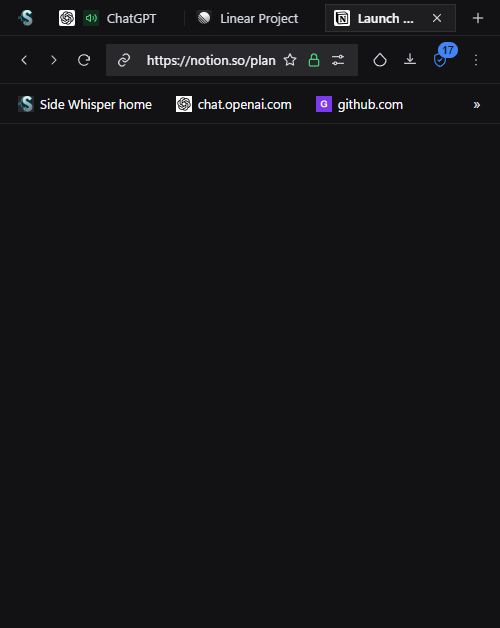
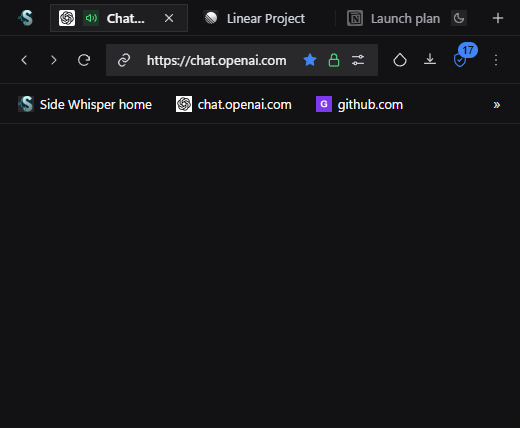
Click ChatGPT on the rail and it opens in its own window beside your work. Prompt, copy, close. No tab hunting.
03 · TEMPLATES
Whole setups, one click.
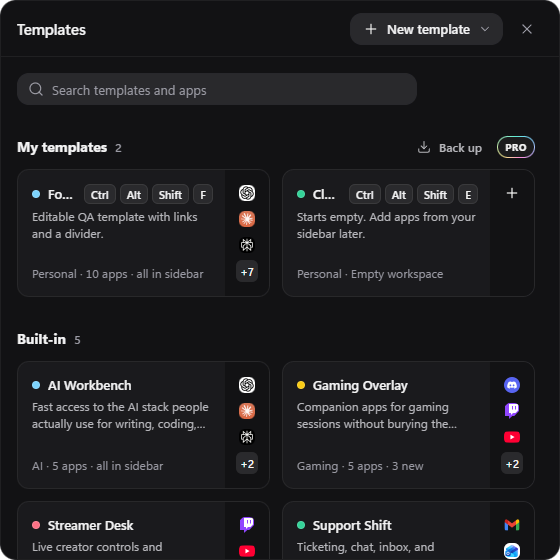
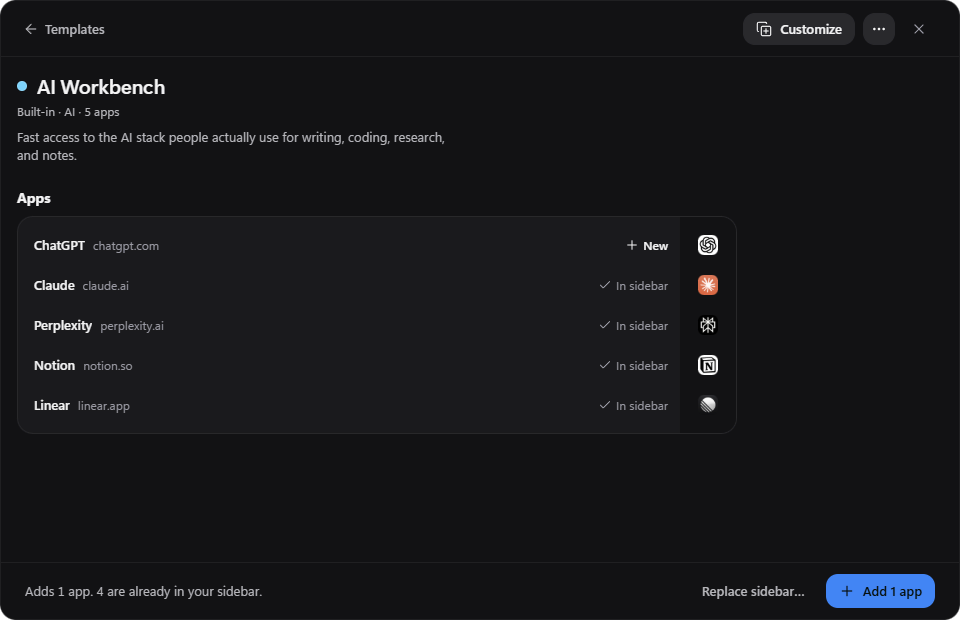
A template adds the apps for a task. Pick AI Workbench before a build or Study Desk before a lecture. Side Whisper shows what it will add before you apply it.
04 · WINDOW MODES
It behaves how you work.
Five window modes decide how Side Whisper shares the screen: normal stacking, always on top, or a Gaming overlay with explicit input control.
05 · THEMES
Dressed to match your desk.
Nine built-in themes, plus Dark, Light and Auto modes. Pick a preset and the rail, menus, Settings and browser chrome follow.


02 — GET STARTED
Three steps. A few minutes.
First-run setup walks you through position, apps, shortcut and look.
Install from Microsoft Store
Free, with nothing to sign up for. Side Whisper opens straight into setup.
Pick a template or add your apps
Start from one of five templates, or save any site with a URL.
Choose how it shares the screen
Normal, always on top, or a Gaming overlay. Change it any time from the Window mode button on the rail.
03 — TEMPLATES
Setups, ready before you are.
Five built-in templates. Open one to see which apps it adds, then add them or replace your sidebar. Replacing asks first and can be undone.
Fast access to the AI stack people actually use for writing, coding, research, and notes.
 ChatGPT
 Claude
 Perplexity
 Notion
 Linear
Companion apps for gaming sessions without burying the current window.
 Discord
 Twitch
 YouTube
 Spotify
 Steam
SteamLive creator controls and community surfaces kept one gesture away.
 Twitch Dashboard
 YouTube Studio
 StreamElementsDiscord
 OBS Help
Ticketing, chat, inbox, and knowledge base links for people working in bursts.
 Gmail
Gmail Outlook
 Slack
Slack Zendesk
 HubSpot
Research, reference, video, and notes for studying next to the active work.
Perplexity Google Scholar
 WikipediaYouTubeNotion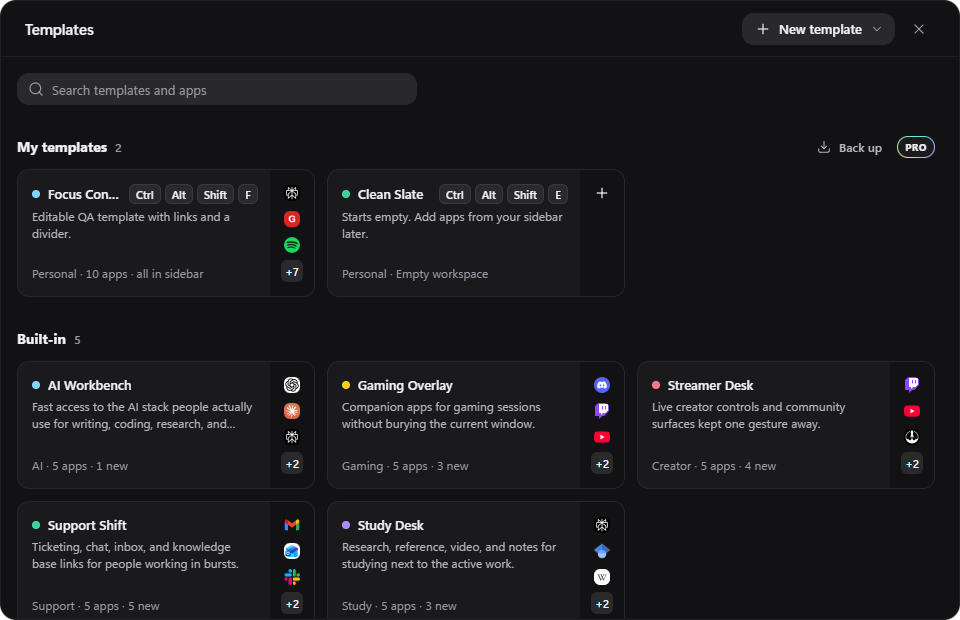
04 — WINDOW MODES
Five ways to share a screen.
Pick a mode and the desktop scene responds. The Gaming modes give you explicit control over who gets the mouse and keyboard.


Limits Exclusive fullscreen and some anti-cheat titles can block overlays. Side Whisper suggests Borderless windowed when a fullscreen game would hide it. See Gaming for the details.
05 — GOING DEEPER
Built for one more screen of work.
Three places where Side Whisper does more than hold your apps.
See the web. Keep the game.
Keep Discord, a guide or YouTube over your game. View is click-through, and Focus gives Side Whisper the keyboard when you need to type.
Dictate offline with Alt+A.
Talk, and the text lands wherever your cursor is. The speech models run on your PC; your voice is never uploaded.
Tabs, downloads and blocking in a compact window.
Each saved app opens in its own browser window, with tabs, bookmarks, downloads, find-in-page and ad blocking.
06 — STAYS ON YOUR PC
Your browsing stays on your PC.
Side Whisper is a local app, and Free has no account at all. For the trial and Pro, the account knows who you are and which plan you have, never what you browse.
Read about privacy and security- Browsing history, cookies and website sessions stay on your PC.
- Voice recordings and transcripts are never uploaded.
- Site permissions and game telemetry stay local too.
- No usage analytics from the desktop app, and no uploaded crash dumps.
- With Pro, Sync keeps a copy of your sidebar, templates, themes and portable settings so your PCs match. Never your browsing. You can turn it off.
07 — THEMES
Choose its mood.
Nine built-in themes, plus Dark, Light and Auto modes. Six are shown here. Pick one and the rail and panel follow, live.


08 — FREE AND PRO
Free to start. Pro when you want more.
Free has no time limit and needs no account. Pro adds the larger speech models, the gaming HUD and three PCs on one account.
| What you get | Free | Pro |
|---|---|---|
| Price | $0, no account | $4.99 a month, $39 a year or $99 once |
| Sidebar, browser windows, ad blocking and all five window modes | Included | Included |
| Offline speech models | Tiny, Small and Moonshine | Adds Large, Large Turbo and Parakeet v3 |
| Gaming HUD and per-game profiles | Not included | Included |
| PCs | Any PC | 3 on one account |
Try Pro for 14 days without a card. Every purchase has a 14-day money-back.
Compare plansBefore you install.
The short answers. The docs have the rest.
Is Side Whisper free?
Yes. Free has no time limit and needs no account: the sidebar, browser windows, ad blocking, all five window modes and offline dictation with four speech models.
Pro is $4.99 a month, $39 a year or $99 once, and adds the larger speech models, the gaming HUD and three PCs on one account. See pricing.
Does it work with any website?
Yes. Save any site with a URL as an app. Each saved site opens in its own browser window beside the rail, with tabs, bookmarks, downloads and find in page.
Does it run on Windows 10?
Yes. Side Whisper supports Windows 10 (version 1809 or later) and Windows 11, on 64-bit (x64) PCs. There is no macOS, Linux or ARM64 version.
Does voice dictation need the internet?
No. Dictation runs on your PC and nothing is uploaded. You need the internet only to download a model you choose. See Voice.
Can I use it over games?
Yes, in the Gaming window modes. View makes Side Whisper click-through, Interact lets you click its controls without taking focus from the game, and Focus sends the keyboard and mouse to Side Whisper.
Exclusive fullscreen and some anti-cheat titles can block overlays. Side Whisper suggests Borderless windowed when a fullscreen game would hide it. See Gaming.
How many PCs can I use?
Free runs on any PC, with no account. Pro runs on up to three PCs under one account. To move it to a new PC, sign an old one out under Account, then Devices, on the website or in the app.

READY WHEN YOU ARE
Give your tools
a quieter home.
Free, with nothing to sign up for.
- Free, no time limit
- No account needed
- Windows 10 and 11